← All products
 Report system for service and maintenance
Report system for service and maintenance
Maintenance on site, invoice on the spot.
dxReport runs as an app on any tablet and smartphone and simplifies the maintenance of equipment at customer sites. Call up, check and edit jobs anywhere. The app is built on Business11.
German, French, Italian, English · Android, iPhone, Windows
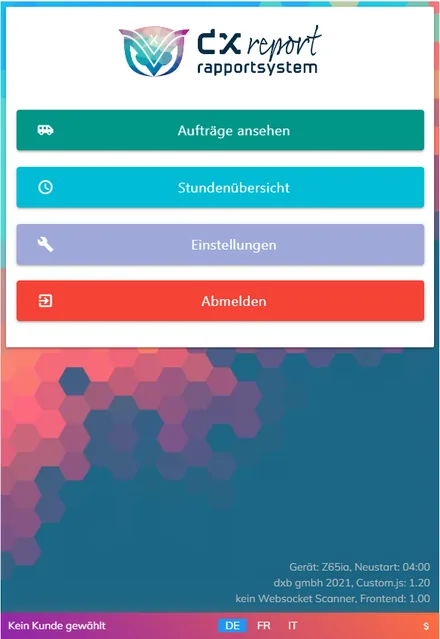
Start screen of the dxReport app
01 · How it works
From the call to the invoice.
- Customer gets in touchCalls the business when a device needs maintenance or repair.
- Job on the PCEntering the job is quick, and it lands in the app of the responsible service technician.
- On siteThe technician sees the full history of the device and records the analysis or repair.
- InvoiceAfter the call-out, the invoice is ready straight away.
02 · Features
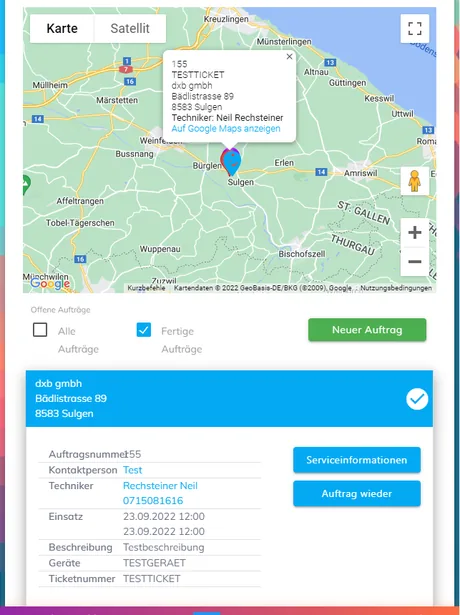
Open jobs on the map 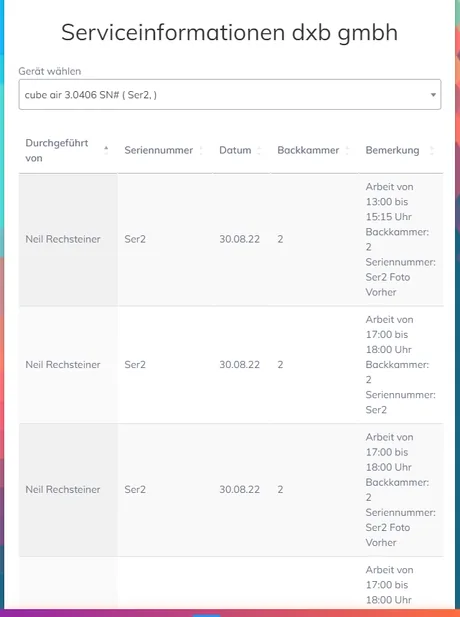
Service information per device
In the app and in the office.
On the road
In the app
- View device history on site
- Tap travel, time and flat rates
- Record warranty repairs
- Before and after photos
- Invoice straight after the job
- Routes and open jobs on Google Maps
- Take on a job, service technician notified with one click
- Hours report per employee
In the office
In the administration
- User management
- Job history
- Mail history
- Device list
- Customer management
- Job management with map overview
- Annual plan of jobs and services
- Texts, logos and your own translations
03 · Also on the dx platform
Workshop with its own accounting?
For workshops and field service businesses that want jobs, stock, accounting and payroll in one application, there is dxService on the dx platform.
Get in touch
How many devices do you service a year?
We will show you dxReport in 30 minutes.